
If you’re looking to get your beauty salon, spa, barber shop, or aesthetic clinic online, you’re in the right place. In today’s world, a clear, professional website is almost essential for any local business, and WordPress makes it relatively straightforward to get set up.
This step-by-step guide walks you through how to create a beauty salon, spa, or barber shop website in WordPress so you can attract more clients, manage online bookings, and support your local SEO and marketing efforts in a structured, sustainable way.
Key Takeaways
Choose a WordPress theme that suits your salon’s style and has the features you need, such as appointment booking and service pages that are easy to update.
Install essential plugins for booking, contact forms, basic security, and image galleries to showcase your work and make it easy for clients to get in touch.
Make your website mobile-friendly so it looks good and works well on phones and tablets, as many clients will browse and book on mobile.
Use high-quality images and clear service descriptions to explain what you offer, who it is for, and how it benefits your clients.
Keep your website updated with accurate pricing, new services, and informative blog content to show your salon, spa, or clinic is active and trustworthy.
Support local SEO for clinics and salons by aligning your website content with your Google Business Profile and other local search efforts so nearby clients can find you more easily.
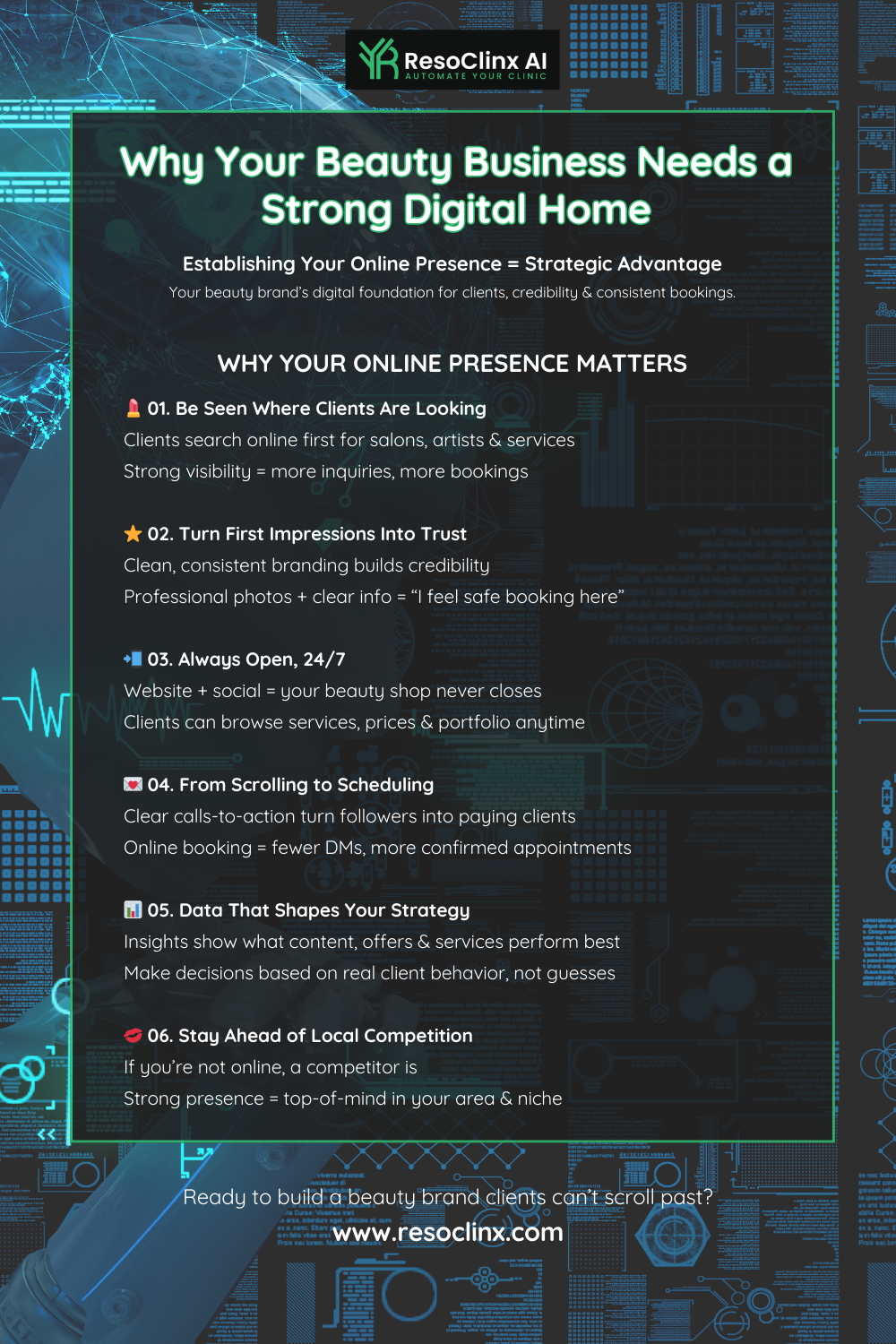
Establishing Your Online Presence: The Foundation of Your Beauty Business
Getting your beauty salon or spa online is like opening your doors to the world. For many potential clients, your website will be their first impression of your business, so it needs to be accurate, welcoming, and easy to navigate.
Think of this stage as setting the foundations of your digital presence. Before you focus on design details, you’ll need to make decisions about:
Your overall brand and message
Your domain name
Your WordPress hosting
The structure of your pages (for example: Home, Services, About, Gallery, Contact, Blog)
By taking the time to get these basics right, you make it much easier to add features such as booking systems, online forms, and educational content later on.
Choosing the Right WordPress Theme for Your Salon
Selecting a WordPress theme is a key decision. You want something that looks professional, works well, and reflects the vibe of your salon, spa, or aesthetic clinic.
Look for themes designed with service-based businesses in mind, ideally featuring:
Service showcase areas: Sections where you can clearly display your treatments, prices, and key benefits.
Image galleries: Ideal for showing your interior, treatment rooms, staff, and before-and-after images (with consent).
Booking integration: Compatibility with popular booking plugins or built-in appointment features.
Customisation options: The ability to adjust colours, fonts, and layouts to match your brand identity.
Many themes offer pre-built demos you can adapt. It’s worth spending time browsing options from reputable theme developers or trusted marketplaces. A well-structured theme will make your website look polished without needing coding skills and will give you flexibility if your services evolve over time.
Essential Plugins for Salon Functionality
Plugins are like tools in your digital toolkit, adding specific features to your WordPress website. For a beauty salon, spa, or aesthetic clinic, some types of plugins are particularly useful:
Online booking system:
A booking plugin allows clients to view availability and book, reschedule, or cancel appointments directly from your site. Look for features such as:Service lists and duration
Staff allocation
Automated email or SMS reminders
Integration with calendars (for example, Google Calendar)
Contact forms:
A simple, secure contact form plugin allows clients to send enquiries without exposing your email address. This helps reduce spam and keeps communication organised.SEO plugin:
An SEO plugin can help you optimise page titles, meta descriptions, and URLs, making it easier for search engines to understand your content and improving your chances of appearing in local search results.Image optimisation:
High-quality images are important, but they also need to load quickly. An image optimisation plugin can compress files without noticeable loss of quality, helping your pages load faster on mobile devices.
Be mindful not to overload your site with too many plugins, as this can affect performance and security. Focus on plugins that deliver clear value to your business and your clients.
Setting Up Your Domain and Hosting
Before you get into themes, layouts, and imagery, you need two essentials:
A domain name (your website address)
A hosting account (where your site lives)
Domain Name:
Your domain is your website’s address, for example: yourbeautysalon.co.uk. Aim for something:
Memorable and easy to spell
Closely aligned with your business name
Ideally using a .co.uk or similar extension if you’re UK-based
You can purchase a domain from a reputable registrar or often directly through your hosting provider.
Web Hosting:
Hosting is where your website’s files are stored. For WordPress, you’ll need hosting that supports the platform and offers:
Good uptime and reliability
Reasonable speed and performance
Responsive customer support
Data centres that are suitable for your UK or European audience
Many providers offer hosting packages designed specifically for WordPress, which can include one-click installation and automatic updates. Some hosting plans also include a free domain name for the first year, helping simplify your initial setup.
Getting your domain and hosting sorted is the digital equivalent of securing your physical location. A good hosting environment supports a fast, secure, and stable website, which is especially important when you’re handling bookings and client data.
Crafting Compelling Content to Attract and Engage Clients
Your website’s content is what truly connects with potential clients. It’s not just about listing services; it’s about:
Answering clients’ questions
Demonstrating your expertise
Building trust and credibility
This is especially important for aesthetic clinics, where clients may have concerns about safety, results, and aftercare. Clear, honest information helps them feel more confident in their choices.
Showcasing Your Services with High-Quality Visuals
People are highly visual, particularly when it comes to beauty, wellness, and aesthetics. High-quality images and videos are essential. They should reflect:
The atmosphere of your salon or clinic
The professionalism of your team
The results clients can expect
Where possible, avoid relying solely on generic stock photos. Instead, consider:
Professional photography to capture your space, treatment rooms, and team
Before-and-after photos (with clear client consent) to showcase results, especially for aesthetic treatments
Short video clips highlighting the environment or explaining a treatment
For UK-based aesthetic clinics, always ensure images and descriptions align with relevant advertising standards and guidelines, and avoid anything that could be interpreted as misleading or unrealistic.
Writing Service Descriptions That Convert
When describing your services, go beyond simply listing the name and price. Effective service descriptions should:
Explain what the treatment is
Highlight who it’s for
Emphasise the benefits and outcomes
For example, instead of just writing:
Facial
You might write:
Rejuvenating Radiance Facial – A targeted treatment designed to restore your skin’s natural glow with a deep cleanse, gentle exfoliation, and a hydrating mask. Ideal for tired or dehydrated skin.
For aesthetic clinic treatments, you may also want to briefly mention:
The type of technology or technique used (in simple terms)
Any downtime or aftercare clients should expect
Who the treatment may not be suitable for (if relevant)
Keep your service list accessible and easy to read. As a rule, HTML pages are better than PDFs, as they are easier to view on mobile, more accessible, and more search-engine friendly.
Integrating Client Testimonials and Reviews
Word-of-mouth is still one of the most powerful forms of marketing. Your website can amplify this through testimonials and reviews that give potential clients confidence in your expertise.
Consider:
A dedicated testimonials page
Snippets of reviews placed throughout key pages, such as your Home and Services pages
Testimonials that mention specific treatments, experiences, or results
Strong testimonials usually have:
Authenticity: Real first names or initials (and photos, if appropriate and consented).
Specificity: What treatment they had and what they liked about it.
Clarity: A natural, genuine tone rather than a heavily edited statement.
You can collect feedback through in-salon forms, follow-up emails, or review platforms such as Google Business Profile reviews. Make it clear that you welcome honest, constructive feedback, as this shows confidence and professionalism.
Regularly review and refresh your testimonials so they stay current and relevant to your most important services.
Streamlining Bookings and Client Management
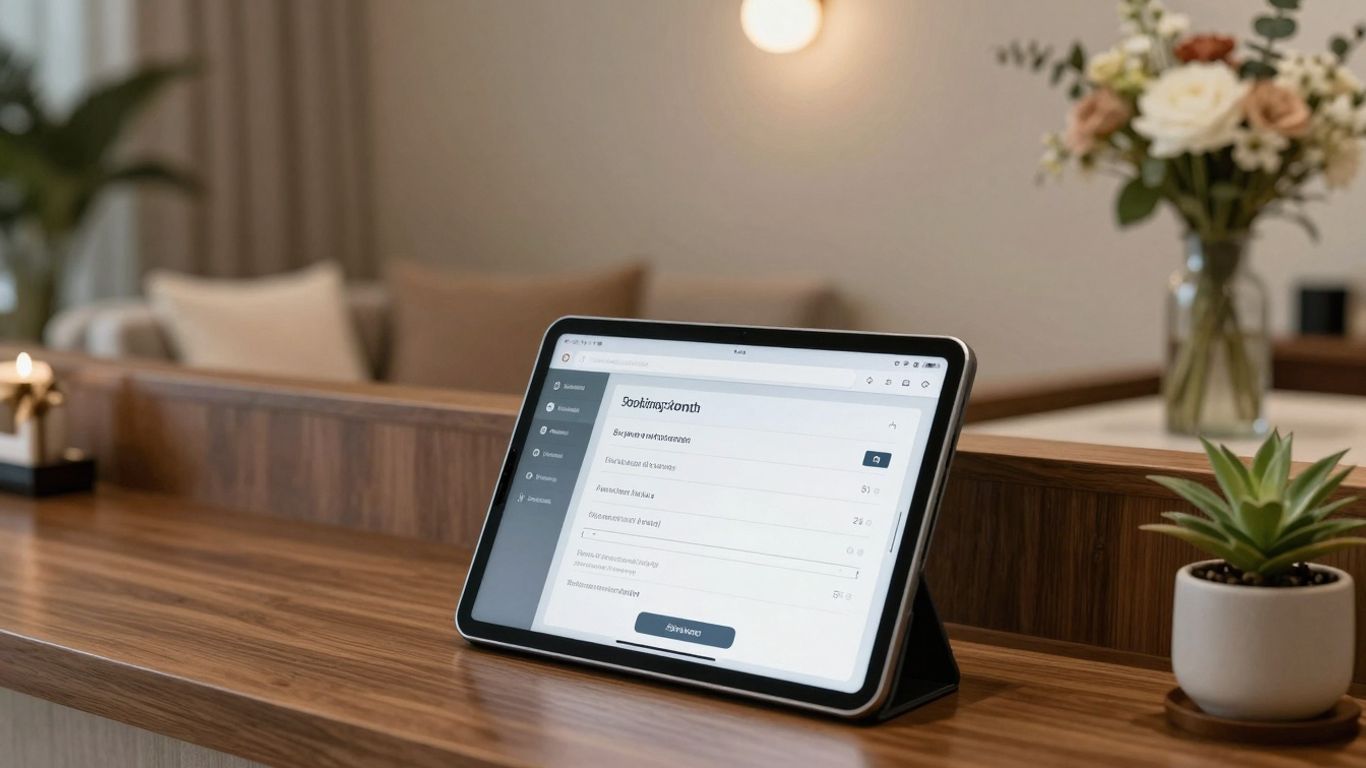
Making it easy for clients to book appointments and manage their information is essential for a smooth-running salon or clinic. A well-organised booking system:
Reduces manual admin and phone calls
Minimises double bookings
Creates a smoother experience for clients
If your booking system feels complicated or inconsistent, it may be time to update it and ensure it integrates well with your website.
Implementing an Efficient Online Appointment System
An online appointment system allows clients to book at any time, without needing to call during opening hours. Typically, this involves using a WordPress booking plugin that integrates with your site.
A good online booking system should offer:
Clear service listings:
Details of each treatment, including duration, price, and any important notes.Staff selection:
The option for clients to choose a specific therapist or practitioner, if appropriate.Real-time availability:
A live calendar showing available time slots, which helps avoid double bookings.Secure payment options:
The ability for clients to pay in advance, pay a deposit, or simply reserve a time.Automated confirmations and reminders:
Emails and, where available, SMS reminders to reduce missed appointments.
The goal is to create a smooth, intuitive journey from your homepage to a confirmed appointment, especially on mobile devices.
Managing Client Data Securely
Once clients start booking online, you will collect personal information such as:
Names
Contact details
Appointment history
For some aesthetic treatments, potentially health or medical information
It is essential to keep this data safe and private, particularly in a UK context. You’ll need processes and systems that comply with UK data protection law, including the UK GDPR and the Data Protection Act 2018.
Consider:
Secure storage:
Where is client data held, and is it protected against unauthorised access?Access control:
Who on your team can view or edit client information? Are permissions appropriate?Data retention:
How long do you keep client records, and how do you securely delete data when it’s no longer needed?
Booking plugins and CRM systems can support compliance, but responsibility ultimately remains with your business. Clear privacy information on your website, including a Privacy Policy and, where relevant, a Cookies Policy, also helps build trust and demonstrate professionalism.
Optimising the Booking Process for User Experience
Even if your booking system is powerful, it still needs to be easy to use. A complicated process can discourage clients from completing their booking.
To optimise the user experience:
Make navigation simple:
Ensure there is a prominent “Book Now” button in your main menu and on key pages.Keep forms short:
Only ask for information that is genuinely necessary at the booking stage.Use clear calls to action:
Buttons like “Select Time”, “Confirm Booking”, and “Continue” should be obvious and consistent.Test on mobile:
Most clients will browse and book on their phones. Check that the process works smoothly on smaller screens.
By focusing on user experience, you help more visitors progress from “just browsing” to booking a treatment.
Enhancing Your Website’s Visibility and Reach
Once your website is live, the next step is ensuring that people can actually find it. Building a strong, long-term online presence involves:
Social media activity
Local search and map listings
Think of this as gradually building a network of signals around your brand, all pointing potential clients towards your website and, ultimately, your salon or clinic.
Search Engine Optimisation for Beauty Websites
When people search for beauty or aesthetic treatments online, you want your salon or clinic to appear prominently in the results. That’s where SEO comes in.
Some key areas to focus on:
Keywords:
Consider what your potential clients type into Google, such as:“hairdresser near me”
“facial treatments in [your town]”
“aesthetic clinic [your town]”
Use these phrases naturally in:Page titles
Headings
Service descriptions
Meta descriptions
Content quality:
Regularly add helpful content, such as blog posts on skincare tips, treatment aftercare, or seasonal beauty trends. This positions you as an expert and gives search engines more relevant pages to index.Technical basics:
Ensure your site:Loads quickly
Uses clean URLs
Has a logical internal linking structure
Has an XML sitemap and basic SEO settings configured
By consistently improving these elements, you support long-term visibility rather than relying on short-term promotions.
Leveraging Social Media for Promotion
Social media platforms are highly visual, which is ideal for beauty and aesthetics. While your website is your home base, social media helps:
Showcase your work
Share educational content
Direct followers back to your website and booking system
Consider:
Consistent posting:
Share high-quality images or short videos of your services, behind-the-scenes moments, and educational tips.Engaging with followers:
Respond to comments and messages promptly. Use polls and Q&A features to invite questions about treatments or skincare routines.Clear links back to your site:
Ensure your profile includes a link to your website or booking page, and reference your site in captions when relevant.
Over time, social media and your website should work together, supporting your aesthetic clinic marketing and client retention, rather than operating separately.
Local SEO Strategies for Salon Discovery
For most salons, spas, and clinics, clients come from the local area. Local SEO helps your business appear when people search for terms like “beauty salon in [town]” or “aesthetic clinic near me”.
Key steps include:
Google Business Profile:
Set up and fully optimise your Google Business Profile so your salon or clinic appears correctly in Google Search and Maps. Make sure your:Name, address, and phone number (NAP) are accurate
Opening hours are up to date
Website link is correct
Photos are professional and current
Where possible, add an appointment or booking link so people can book directly.
Consistent local listings:
Ensure your business details are consistent across other trusted business directories. Consistent NAP information helps search engines trust your data.Local keywords on your site:
Use location-specific phrases such as “hair extensions in [town]” or “laser hair removal clinic in [region]” in your content, headings, and meta descriptions.Encouraging reviews:
Positive reviews on your Google Business Profile and other platforms are extremely valuable. Make it easy for happy clients to leave a review and respond politely to feedback.
Local SEO is an ongoing process, but it is one of the most effective ways to attract more clients from your area.
Designing for User Experience and Brand Identity
Your website is more than just a static brochure. It’s a living extension of your brand and often the first place clients experience your:
Visual style
Tone of voice
Professional standards
Good design supports both user experience (UX) and brand identity, helping clients feel confident in choosing you.
Creating a Visually Appealing and Intuitive Layout
Think about how you want clients to feel when they visit your website. For example:
Calm and relaxed?
Confident and informed?
Excited about transformation?
Your layout plays a big role in this. Aim for:
Clean, uncluttered pages with plenty of white space
A clear hierarchy of information, so visitors always know what to read or click next
Logical navigation, with intuitive menu labels like Home, Services, About, Gallery, Blog, and Contact
Use high-quality imagery throughout, but avoid overloading pages with too many elements. A balanced layout helps your content – especially your service descriptions and booking options – stand out.
Ensuring Mobile Responsiveness for All Devices
Most people now browse and book on mobile devices, so your website must be responsive – adapting to different screen sizes.
Check that:
Text is readable without needing to zoom
Buttons and links are easy to tap
Images resize correctly and don’t break the layout
Booking and contact forms work properly on smaller screens
Most modern WordPress themes are responsive by default, but it’s still important to test your site on a range of devices so you can spot any issues early.
Reflecting Your Salon’s Unique Brand Aesthetic
Your brand is what sets your salon or clinic apart. Your website should consistently reflect your:
Colours
Fonts
Logo
Tone of voice
Consider adding an About Us page that explains:
Your story and values
The qualifications and experience of your team
What makes your approach to beauty or aesthetics unique
This helps clients feel they know you before they visit, which is particularly valuable for aesthetic treatments, where trust and reassurance are vital.
Use consistent branding across your website, social media, and Google Business Profile to create a unified, recognisable experience.
Maintaining and Growing Your Online Platform
Launching your website is an important milestone, but it’s only the beginning. To keep it effective, you’ll need to maintain it regularly, just as you would refresh your salon’s decor or update your treatment menu.
Ongoing website care supports:
Client trust
Accurate information for bookings and enquiries
Regular Website Updates and Content Refresh
Over time, your services, prices, and brand focus may change. Your website should always reflect your current business, not an old version.
Make a habit of:
Updating service information:
Check that your treatments, prices, and descriptions are accurate. Remove services you no longer offer.Refreshing images:
Update photos of your team, interior, and treatment results when things change or improve.Adding new blog posts or articles:
Share helpful, informative content such as:Seasonal skincare advice
Treatment explanations
Aftercare guidance
FAQs for popular procedures
This supports local SEO for clinics and salons and reinforces your authority.
Checking for broken links:
Fix any pages or links that no longer work, as they can frustrate visitors and harm your site’s credibility.
Small, consistent updates can have a big impact on how useful and trustworthy your site feels to both clients and search engines.
Analysing Website Performance and User Behaviour
To understand whether your website is doing its job, you can use analytics tools to see:
How people find your site
Which pages they visit
What actions they take (for example, booking or sending an enquiry)
Key metrics to monitor include:
Traffic sources:
Are visitors coming from organic search, social media, email campaigns, or direct visits?Popular pages:
Which service pages or blog posts attract the most traffic? This can guide what content you expand or promote.Bounce rate:
The percentage of visitors who leave after viewing only one page. If this is high on key pages, you may need clearer messaging, stronger calls to action, or better internal links.Conversions:
How many visitors complete key actions such as booking an appointment or submitting a contact form?
By regularly reviewing these insights, you can make calm, data-led improvements rather than guessing what might work.
Strategies for Long-Term Client Engagement
A well-built website doesn’t just help you find new clients; it can also help you keep existing clients engaged and informed.
Some effective long-term strategies include:
Email marketing:
With clear consent, collect email addresses and send periodic newsletters. Focus on value:New service announcements
Aftercare advice
Seasonal tips or trends
Updates to opening hours or team changes
This keeps your salon or clinic front of mind without relying solely on discounts.
Client accounts or portals:
If your booking system allows, offer clients the ability to:View their appointment history
Manage upcoming bookings
Access loyalty points or packages
This adds convenience and can strengthen loyalty.
Blog and social media integration:
Make it easy for visitors to share your blog posts or follow you on social media directly from your site. Over time, this helps build a community around your brand.Feedback forms and surveys:
Simple, optional feedback forms can provide valuable insights into client experience. Acting on this feedback helps you refine both your in-salon and online journey.
When your website, email, and social channels are aligned, they support a cohesive client experience that encourages repeat visits and referrals.
Your Beautiful Website Awaits
Building a website for your beauty salon, spa, barber shop, or aesthetic clinic in WordPress can feel like a big task at first, but it becomes manageable when you break it into clear steps.
By:
Putting the right structure in place
Choosing suitable tools and plugins
Keeping your content accurate, educational, and up to date
Aligning your website with your local SEO and Google Business Profile activity
you create an online presence that supports both your day-to-day operations and your long-term growth.
Treat your website as a core part of your client experience and marketing, not a one-off project. Review it regularly, refresh your visuals and copy, and continue to answer the real questions clients are asking about beauty and aesthetics. Over time, this consistent, informative approach helps you attract more of the right clients and reinforces your reputation as a trusted professional in your field.