Thinking about how to make a beauty salon website in WordPress? It might sound a bit technical, but it’s usually more straightforward than many people expect. You don’t need to be a web design expert to create a professional-looking, user-friendly site. With the right structure and tools, your website can become a central hub for your salon, helping you attract more clients, manage bookings and showcase your work with confidence.
This guide breaks down the process into practical, manageable steps so you can build an online space that reflects your brand, supports your services and works effectively for your business.
Key Takeaways
Start by choosing a memorable domain name and reliable hosting for your salon’s website.
Select a WordPress theme that fits your salon’s style and is easy to customise.
Use plugins to add online booking, contact forms and social media links to your site.
Showcase your services and best work with high-quality images and a professional portfolio.
Keep your website updated and monitor its performance to attract more clients and retain existing ones.
Establishing Your Online Presence: The Foundation of Your Beauty Salon Website
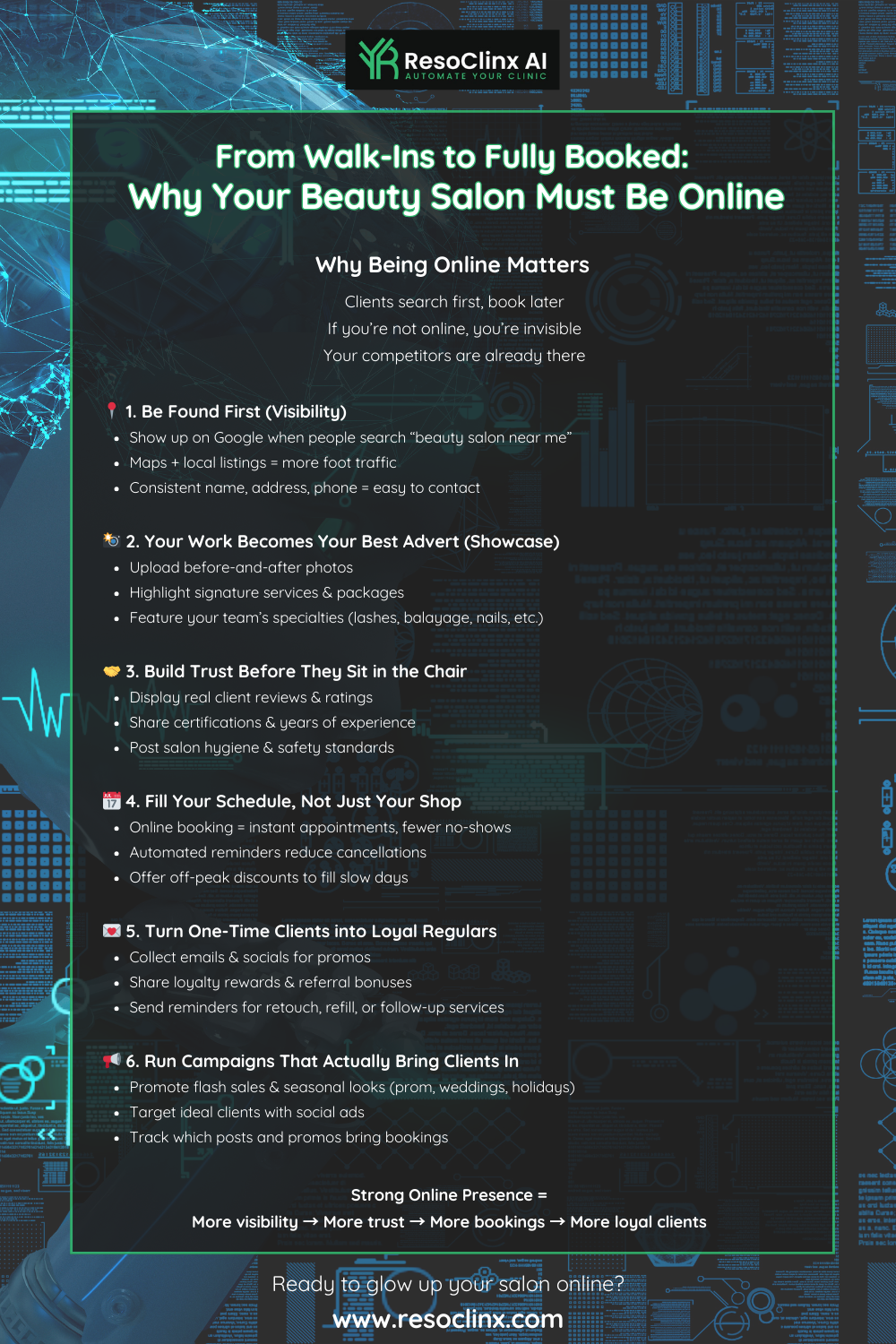
Getting your beauty salon online is a bit like opening a new branch, but instead of bricks and mortar, it’s digital. For many potential clients, your website will be their first interaction with your brand, so it needs to make a strong and reassuring impression. This isn’t just about having any website; it’s about building a solid foundation that supports your business goals and makes it easy for people to find, understand and book your services.
A well-planned website helps you:
Present your salon as professional and trustworthy
Showcase your services, pricing and results clearly
Make it simple for clients to book appointments or get in touch
Improve your visibility in local search results
The following steps guide you through setting up that foundation in a structured, practical way.
Choosing Your Domain Name and Hosting
Your domain name is your salon’s address on the internet. It should be:
Memorable
Easy to spell and pronounce
Clearly related to your salon or location
It could be your salon’s name, or something descriptive and local, such as YourTownBeauty.co.uk. Using a .co.uk domain helps signal that you are a UK-based business, which can support trust with local clients.
When it comes to hosting, this is where your website’s files will live. You’ll want a reliable provider that offers good speed and uptime, so your site is available when clients need it. For a beauty salon, you don’t necessarily need the most expensive plan to start with; a well-reviewed entry-level plan is usually enough while you grow your online presence.
Look for hosting that includes:
Sufficient storage for your website content and images
Bandwidth to handle visitor traffic as your site grows
Email accounts using your domain name (for example,
info@your-salon.co.uk)Security features such as SSL certificates (so your site uses HTTPS, not HTTP)
Choosing a suitable domain and hosting plan at the start makes everything that follows much smoother.
Selecting the Right WordPress Theme for Your Salon
WordPress themes are like the interior design of your website: they control the overall look and feel. For a beauty salon, you’ll want a theme that reflects your brand and makes it easy for visitors to understand what you do.
Look for a theme that is:
Visually appealing: It should reflect the aesthetic of your salon – clean, professional and inviting.
Service-focused: Choose a design that makes it simple to present your services, pricing and opening hours.
Customisable: You should be able to adjust colours, fonts and layouts to match your salon’s branding.
Responsive: A responsive theme ensures your website looks good and works well on all devices, from desktop computers to smartphones and tablets.
Many themes are designed specifically for salons and beauty businesses, often with pre-built pages for services, galleries and booking systems. When possible, choose a theme that:
Is well-rated by other users
Is regularly updated by its developers
Works smoothly with popular plugins (booking systems, SEO tools, contact forms)
A thoughtfully chosen theme gives you a strong visual foundation and saves time during setup.
Essential WordPress Plugins for Salon Functionality
Plugins are add-ons that give your website extra features and functionality. For a beauty salon, a few types of plugins are particularly important.
Online booking system: This is often the most important feature. Popular booking plugins allow clients to book appointments directly through your website, 24/7. A good booking plugin helps you manage time slots, staff and services without constant phone calls.
Contact form plugin: Tools such as WPForms or Contact Form 7 make it easy to create simple forms for general enquiries, treatment questions or bespoke requests.
Gallery plugin: A gallery plugin (for example, Envira Gallery or FooGallery) helps you display before-and-after photos, images of your salon and examples of your work in a structured, attractive way.
SEO plugin: Tools like Yoast SEO or Rank Math help you optimise your website content so it’s more likely to appear in search results when people look for salons or aesthetic clinics in your area.
You do not need to install every plugin you see. Focus on quality over quantity, and choose plugins that:
Are regularly updated
Have good reviews and support
Do not slow your site down unnecessarily
The right combination of theme and plugins can make building and managing your salon website much simpler, allowing the site to support your day-to-day work rather than create extra admin.
Crafting a Compelling Visual Showcase for Your Services
Your website is your digital shop window. It’s where potential clients get their first real impression of your salon, so it needs to look professional and clearly show what you do best. In practice, your visuals become one of your most important marketing assets, working for you at all times.
Well-chosen images and layout can:
Build trust in your skills
Highlight your specialist services
Help visitors visualise results they could achieve
Make your salon feel approachable and welcoming
Designing an Engaging Homepage
Your homepage is the entry point for most visitors, so it needs to grab attention quickly and make the next steps clear. A strong homepage should:
Communicate who you are
Show what you offer
Make it easy to take action (for example, to book or contact you)
Consider including:
A striking hero image or video that sets the tone and reflects the atmosphere of your salon
A brief introduction to your salon, highlighting any specialisms or unique selling points
Clear calls to action, such as “Book Online”, “View Services” or “Contact Us”
Links to your most popular services or useful information pages
Aim for a homepage that feels welcoming, professional and easy to scan, so visitors quickly understand how you can help them.
Showcasing Your Services with High-Quality Imagery
People often book beauty treatments based on trust and visual appeal. High-quality photos and videos are essential for conveying the standard of your work.
Key considerations for your visuals:
Professional photography: If your budget allows, invest in professional photos. If not, learn some basic photography skills. Good lighting and composition make a substantial difference.
Show, don’t just tell: Instead of only listing “hair colouring” or “lash extensions”, show strong visual examples of the results you achieve.
Before and afters: These are powerful for demonstrating treatments such as facials, hair treatments or nail services. Always obtain explicit, written permission from clients before using their images, in line with UK data protection and privacy expectations.
Video content: Short, well-edited videos showing a treatment in progress (without revealing client details) or a quick tour of your salon can help visitors get a feel for the space and your approach.
High-quality imagery reinforces the idea that you are professional, detail-focused and trustworthy.
Building a Professional Portfolio of Your Best Work
Your portfolio is your visual CV and a place where your skills can really shine. It allows potential clients to see the standard and style of your work before they book.
You might structure your portfolio by service category, for example:
Hair services: Cuts, colours, styling, treatments and transformations
Beauty treatments: Facials, manicures, pedicures, waxing and other specialist treatments
Makeup services: Bridal looks, special occasion makeup and natural everyday applications
For each image, consider including:
A brief description of the service or look
Optional treatment details (for example, “balayage colour and cut”)
A short client testimonial, where appropriate
A well-organised portfolio builds confidence and helps clients imagine themselves achieving similar results with your team.
Streamlining Client Bookings and Communication
Making it easy for clients to book appointments and contact you is essential for a smooth, professional experience. When your website handles much of this process clearly and efficiently, you can focus more on delivering treatments.
Your goal is to make booking and communication:
Simple
Reliable
Available at any time
Implementing an Efficient Online Appointment System
An online booking system is increasingly expected by clients, especially those who prefer not to book by phone. It allows clients to book services whenever it suits them, and reduces the time you spend managing appointments manually.
A good booking system should offer:
Real-time availability: Clients can see exactly when you have slots free.
Service customisation: You can set different prices, durations and assigned team members for each service.
Automated confirmations and reminders: This reduces no-shows and cuts down on manual follow-up.
Payment options: Depending on your business model, you may allow clients to pay in advance or secure their booking with a deposit.
Clear, easy-to-use online booking helps your salon appear organised, modern and client-focused.
Integrating Contact Forms for Enquiries
Online booking covers appointments, but there will always be clients who have questions or special requests. A simple contact form on your website is ideal for this, especially for more detailed treatment queries.
A basic contact form might include:
Name
Email address
Phone number (optional, but often helpful)
A message box for their enquiry
Place your contact form on a dedicated “Contact Us” page and consider including your salon address, Google Map, phone number and opening hours on the same page. This makes it easy for clients to choose the communication method that suits them best.
Leveraging Social Media Integration for Engagement
Your website should work alongside your social media, not separately from it. Linking the two strengthens your online presence and helps you stay in touch with clients.
You might add:
Social media icons linking directly to your Instagram, Facebook or other active platforms
An embedded Instagram feed showcasing recent work or salon updates
Share buttons on blog posts or key pages so visitors can share your content easily
This integration helps build a community around your brand, keeps your salon visible in clients’ feeds and encourages people to return to your website for more information or to book.
Enhancing User Experience and Website Navigation
A beauty salon website should not only look good, it should also be easy and pleasant to use. Visitors should be able to find what they need quickly without feeling lost or frustrated. If navigation is unclear or pages are slow, many will simply leave and look elsewhere.
User experience is influenced by:
How clear and logical your navigation is
How well the site performs on mobile devices
How quickly the pages load
Creating Intuitive Website Navigation
Your website’s navigation is like the signage in your salon: it should clearly point people in the right direction. A confusing menu makes it harder for visitors to understand what you offer, even if your content is strong.
To create intuitive navigation:
Keep menu labels simple and direct, such as “Home”, “Services”, “Book Online”, “Gallery”, “Contact”.
Group related pages under logical headings (for example, all treatment pages under a “Services” dropdown).
Ensure your main menu is visible on every page, usually at the top.
Use your footer for important links such as your privacy policy, terms and conditions and contact details.
When navigation is clear, visitors can focus on your services and expertise, rather than trying to work out how to get around the site.
Optimising for Mobile Responsiveness
A large proportion of visitors will view your website on a mobile phone or tablet. It is not enough for your site to simply “fit” on a small screen; it needs to be comfortable to use.
To optimise for mobile:
Check how your website appears on different devices and screen sizes.
Ensure text is large enough to read without zooming.
Make sure buttons and links are easy to tap with a finger and not too close together.
Avoid horizontal scrolling; content should fit neatly within the screen width.
A mobile-responsive website feels modern and user-focused, which reinforces trust in your salon.
Ensuring Fast Loading Speeds for a Seamless Experience
Very few people are willing to wait for a slow website to load, and sluggish pages can quickly put visitors off. Faster loading times improve user experience and can also support your search visibility.
You can improve loading speeds by:
Optimising images: Large image files are a common cause of slow pages. Compress your images before upload or use a plugin to reduce file size while retaining quality.
Choosing a lightweight theme and only the plugins you genuinely need.
Using caching: Caching plugins store a static version of your pages, so they load faster for visitors, especially when they return to your site.
Considering a content delivery network (CDN) if your audience is geographically spread out.
A fast website shows you respect your clients’ time and helps them stay focused on booking and exploring your services.
Marketing Your Salon Effectively Through Your Website
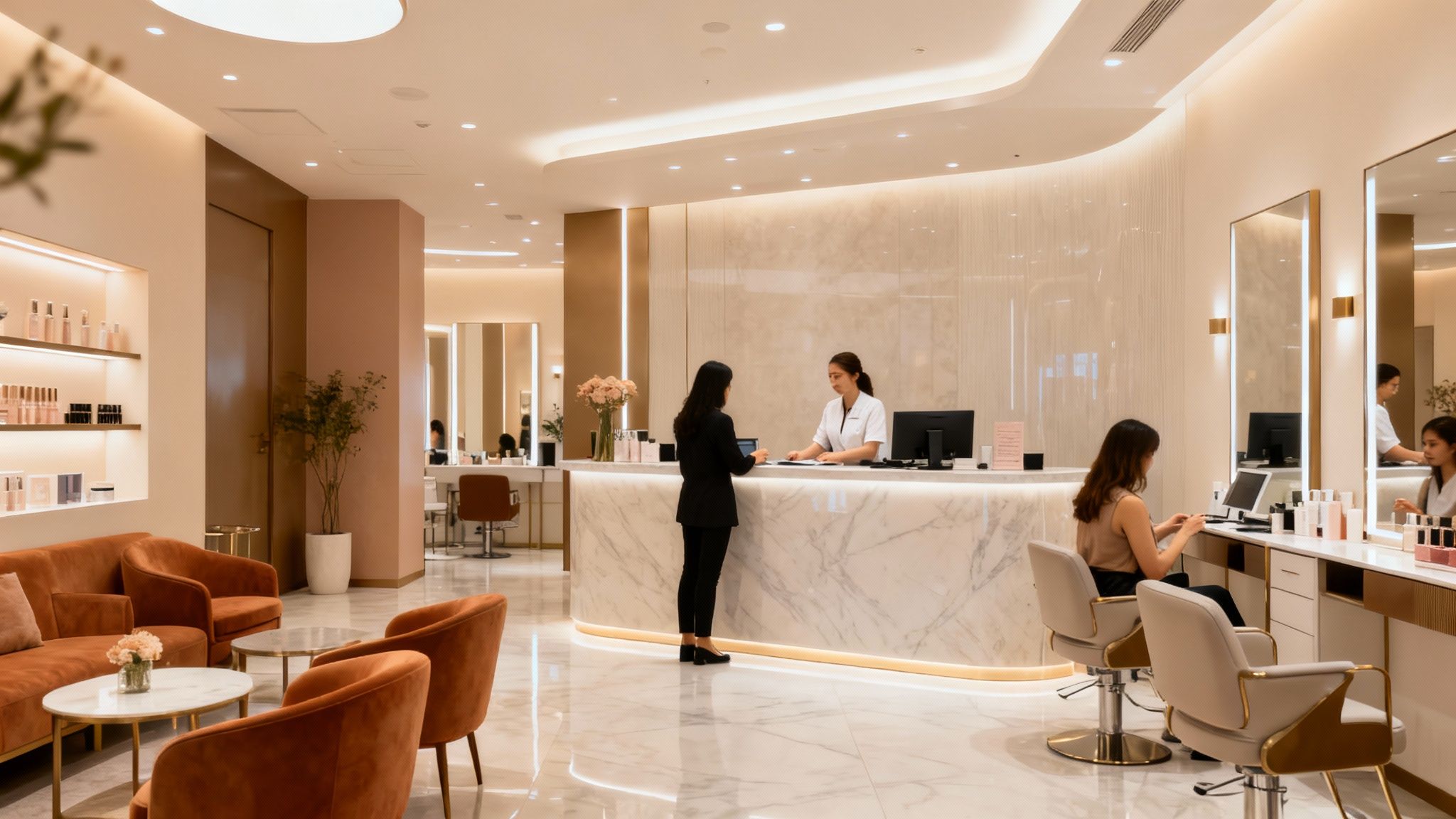
Once you’ve built a professional website for your beauty salon, you’ve already taken a significant step. However, a website on its own is a bit like a beautiful shop that nobody knows about. To make the most of it, your site needs to be part of a wider marketing approach.
Your website can support:
Educational content that builds authority
Client reviews and testimonials that build trust
Local SEO efforts so you appear in relevant searches
Social media activity and email marketing
Developing a Content Strategy for Your Salon Blog
Think of your blog as your salon’s voice. It’s a space to share your knowledge, demonstrate your expertise and connect with clients on a deeper level. Blog content can also support your SEO when it is relevant and helpful.
Useful blog ideas include:
Tips and advice: For example, “How to care for your skin between facial appointments” or “How to make your blow-dry last longer.”
Treatment guidance: Articles explaining what to expect from certain treatments and how to prepare or follow aftercare.
Behind-the-scenes insights: Introduce your team, explain your approach to hygiene and safety, or share why you chose certain products.
Seasonal content: For example, “Autumn skincare tips” or “Summer hair protection guide.”
Regularly adding helpful, well-written posts not only gives visitors more value, it also helps search engines understand that your site is active and relevant.
Utilising Testimonials to Build Trust
People tend to trust the experiences of other clients. Testimonials and reviews can be more persuasive than any marketing copy you write yourself.
To make the most of testimonials:
Ask for feedback after a successful treatment or positive client experience.
Make it easy to leave a review, whether on Google, your booking system or a feedback form.
Feature selected testimonials on key pages, such as your homepage, service pages and a dedicated “Testimonials” or “Client Stories” page.
Where possible, include:
The client’s first name and initial (if they are comfortable)
The service they received
A short quote about their experience
Testimonials help visitors feel reassured that others have had positive results and experiences with your salon.
Implementing Basic SEO for Better Visibility
SEO (Search Engine Optimisation) can sound complex, but at its core it’s about making your website easier for search engines to understand and rank. This matters whether you run a beauty salon or an aesthetic clinic.
Some simple but important SEO steps include:
Using relevant keywords naturally in your content. For example, if you offer nail treatments in Manchester, it can be useful to include phrases such as “nail salon in Manchester” or “gel nails Manchester” within your text, headings and meta descriptions.
Keeping your business name, address and phone number consistent wherever they appear online.
Writing clear, descriptive page titles and meta descriptions so searchers understand what each page offers.
Creating helpful, in-depth content that answers real questions your clients have.
For local SEO, make sure:
Your address and contact information are clearly visible on your website.
You set up and regularly update a free Google Business Profile, so your salon is more visible in local search results and on Google Maps.
Your website and Google Business Profile present consistent information, helping clients and search engines trust your details.
By focusing on these areas, you’re not just building a website; you’re building a reliable, always-on marketing asset that supports your local SEO and helps attract more clients over time.
Maintaining and Growing Your Salon’s Digital Footprint
Once your beauty salon website is up and running, it’s a real achievement. However, a website is not a “set it and forget it” project. Like your physical salon, it needs regular attention to stay fresh, accurate and appealing.
Maintaining your site helps you:
Reflect current services and prices
Keep your brand and imagery up to date
Support ongoing SEO and client engagement
Regularly Updating Website Content and Imagery
Your website is the digital face of your salon. If it looks dated, some visitors may assume your services or techniques are too. Regular, small updates are usually more manageable than occasional large overhauls.
Consider:
Updating service descriptions when you add new treatments or refine existing ones.
Refreshing your portfolio and gallery with your latest, strongest work.
Adjusting banners or featured content for seasonal trends or events.
Updating team photos if staff members change or their roles are updated.
These changes show your salon is active, current and invested in its online presence.
Analysing Website Performance with Analytics Tools
To understand whether your website is working well, you need data, not just assumptions. Tools such as Google Analytics 4 (GA4) can help you see how people are using your site.
Useful metrics include:
Traffic sources: Where visitors come from (for example, Google search, social media, direct visits).
Page views: Which pages are most popular, helping you understand what interests your audience.
Bounce rate: The percentage of visitors who leave after viewing only one page. A high bounce rate on key pages might indicate that content, layout or calls to action need improvement.
Conversion rate: How many visitors complete a desired action, such as booking an appointment or submitting a contact form.
By reviewing this data regularly, you can make informed decisions about what to adjust, rather than guessing.
Metric | What it Tells You |
|---|---|
Traffic Sources | Where your visitors are coming from (e.g., Google, social media). |
Page Views | Which pages are most popular. |
Bounce Rate | How many visitors leave after viewing only one page. |
Conversion Rate | How many visitors complete a desired action (e.g., booking an appointment). |
Planning for Future Website Enhancements
Your website should grow alongside your business. As your salon develops, you may want to add new features or expand existing ones.
Potential future enhancements include:
New service pages: As you introduce additional treatments or specialisms.
A client loyalty area or integration with a loyalty programme.
An online shop if you decide to sell skincare, haircare or other salon products.
A more extensive blog or educational resource section to deepen your authority and answer more detailed client questions.
Planning improvements in stages keeps your website aligned with your long-term goals without overwhelming you with changes all at once.
Your Salon’s Digital Doorway Awaits
So there you have it. Building a professional website for your beauty salon in WordPress might seem like a big task at first, but as this guide shows, it is entirely achievable with the right tools, structure and plan. You don’t need to be a technical specialist to create a site that looks professional and supports your business.
By following these steps, you’re creating a welcoming online space that showcases your work, helps attract new clients and makes booking appointments straightforward. Over time, your website can become a central part of your reputation, marketing and visibility in your local area.